
wmView - Search functionality
wmView provides a standard search for every work field: This search function offers the classical features like WKN, ISIN., indication of the security. In order to narrow the search, further search fields are available, independent of the relevant work field.
Standard search / expert search
In addition to the standard search there are many work fields that provide an expert search, among them master data, income, conversion, capital increases, maturities and shareholder meeting: This expert search function offers further search criteria in order to achieve a more precise, specific search. As a rule, additional date fields and / or master data fields are available.
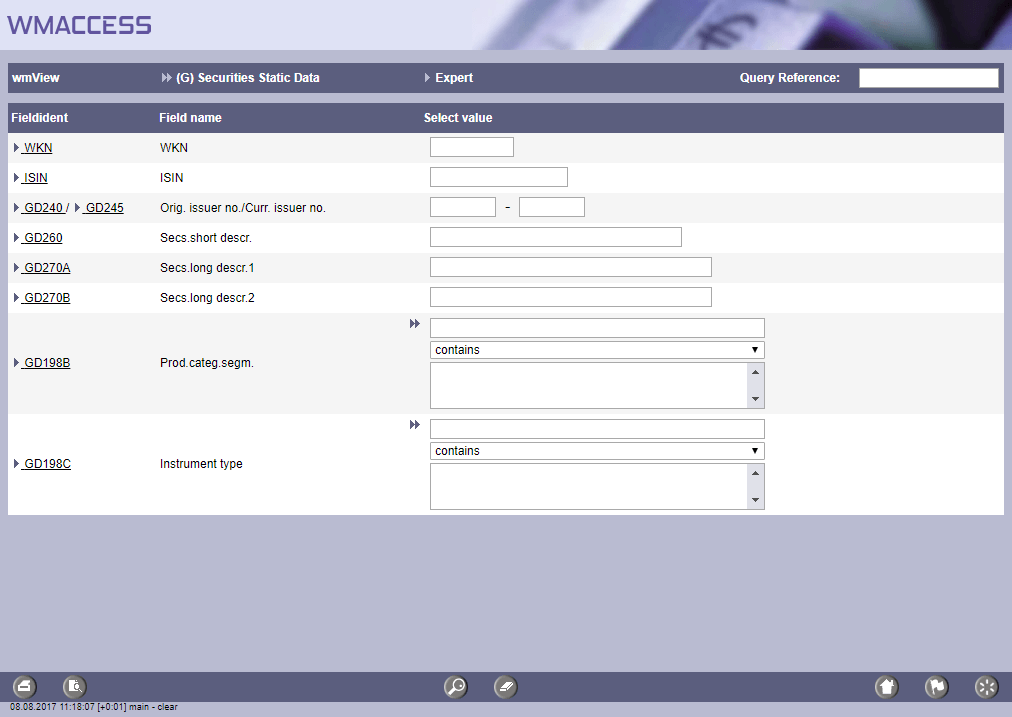
Standard search function
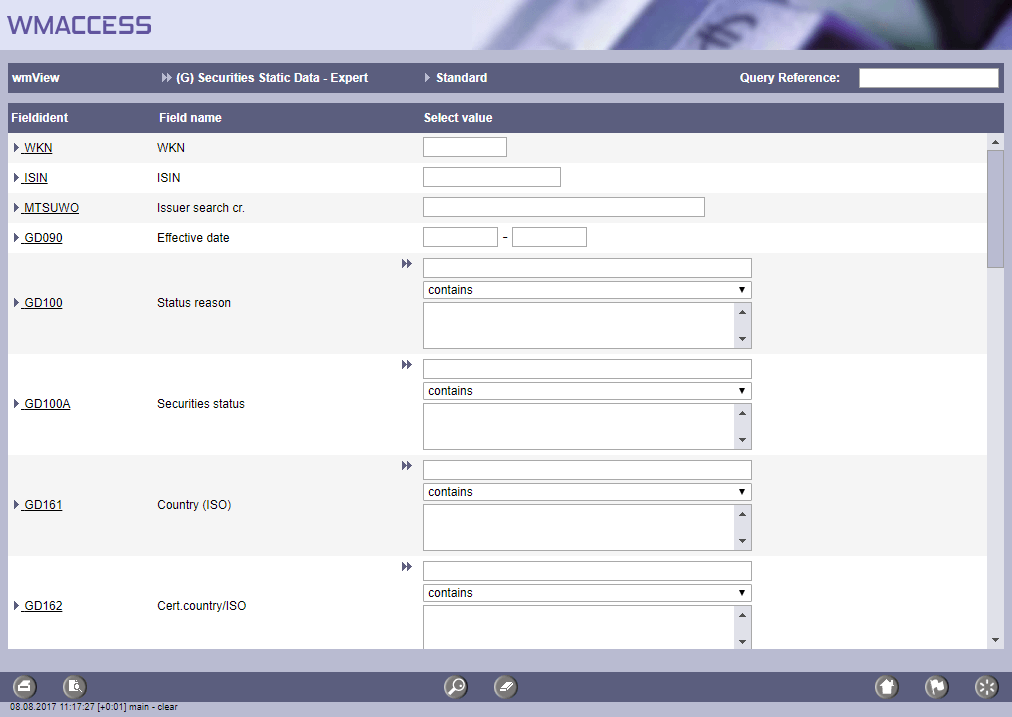
Expert search function
Input of search criteria
ISIN and WKN
In the case of ISIN and WKN the search does not differ between small and capital letters. Also incomplete entries like a 5-digit WKN or 11-digit ISIN are possible.
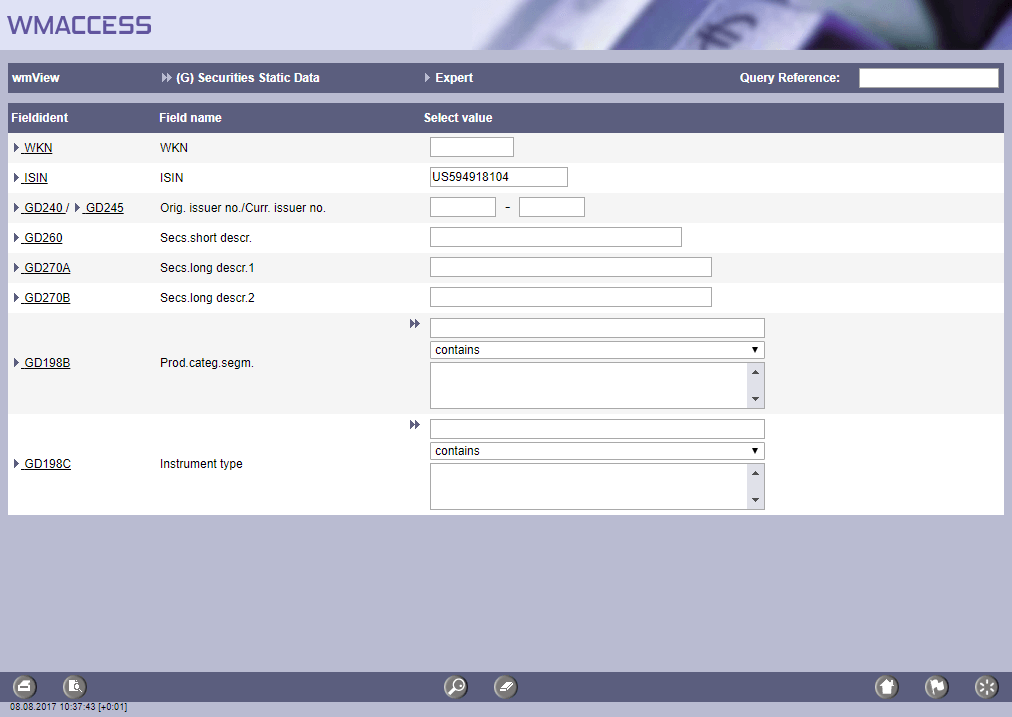
Search with 11-digit ISIN, derived from the ISO country code 'US' as well as the 9-digit CUSIP for Microsoft.
Issuer number
In the work area (M) - Issuer data, the WM field MREMI - issuer number is offered as a search function. The issuer number is six-digit number provided by WM Datenservice. For each issuer, a hit list with its complete history is made available for further selection.
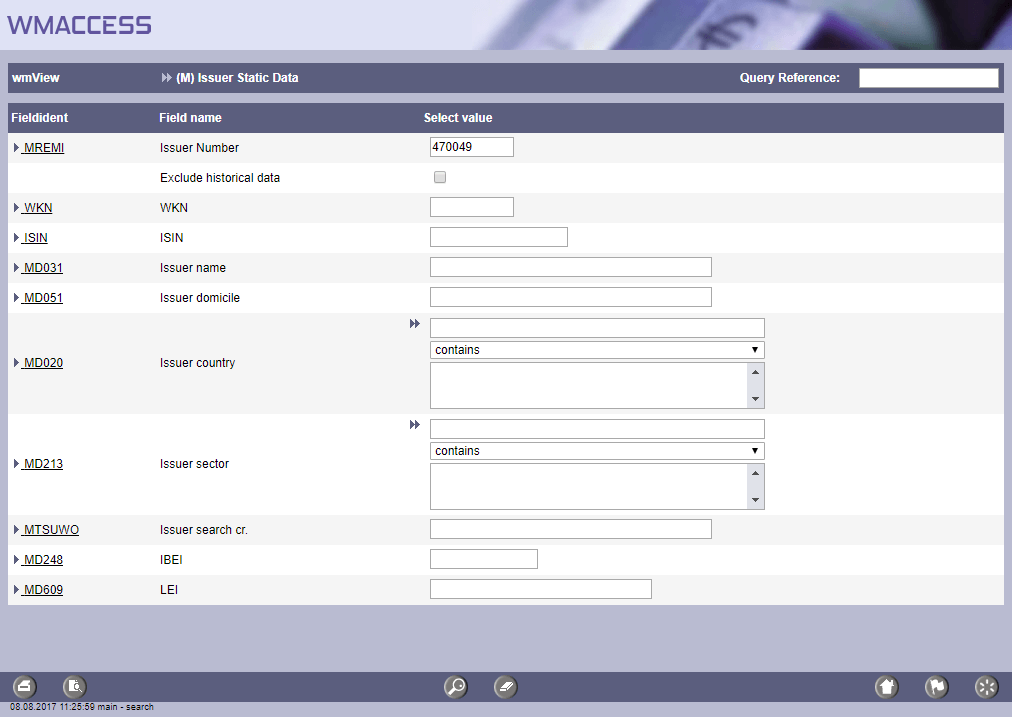
Search for issuers with the issuernumber 470049.
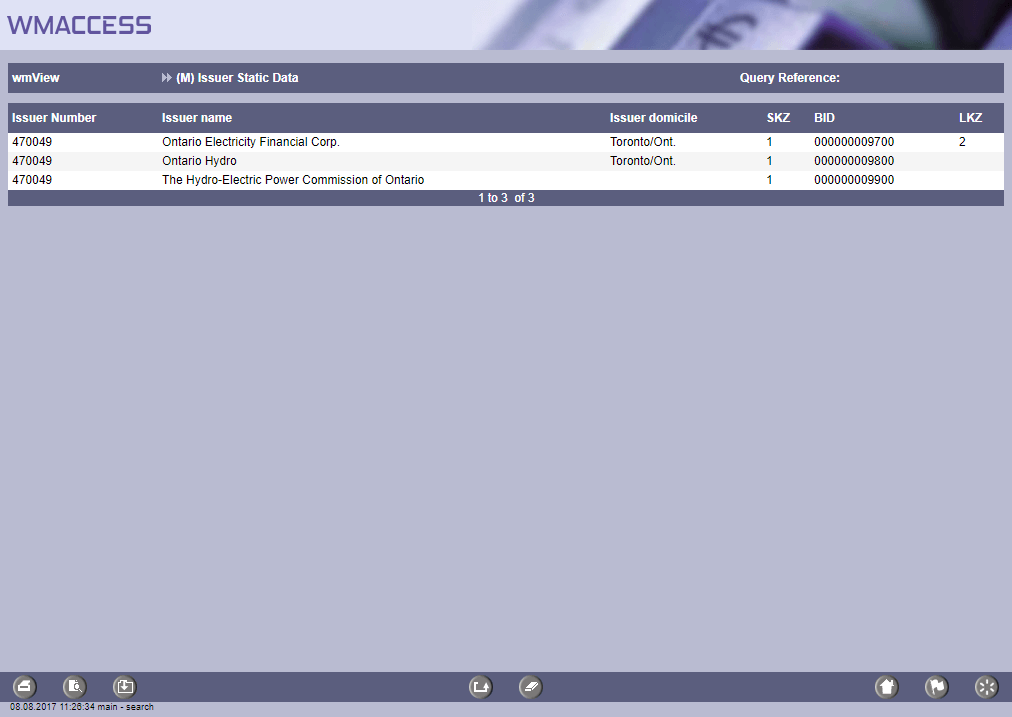
Hit list for the search with the issuernumber 470049.
To display the current data record directly, select the checkbox - Exclude historical data. Upon entering the query screen the checkbox is not activated by default.
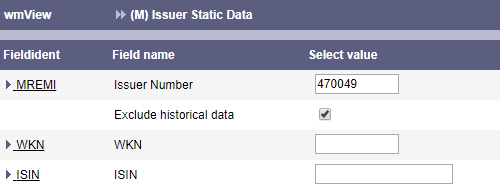
Search with issuernumber 470049 and exclusion of historical data
For further information and examples, see this news release.

The field MD609 - LEI (Legal Entity Identifier) is also available in this search function.
In the work area master data - (G), the user can also search for securities using the issuer number. For this purpose, the combination field GD240 / GD245 (original issuer number / current issuer number) is available. In this case, all securities are displayed in the following hit list, which contain the issuer number in field GD240 or GD245.
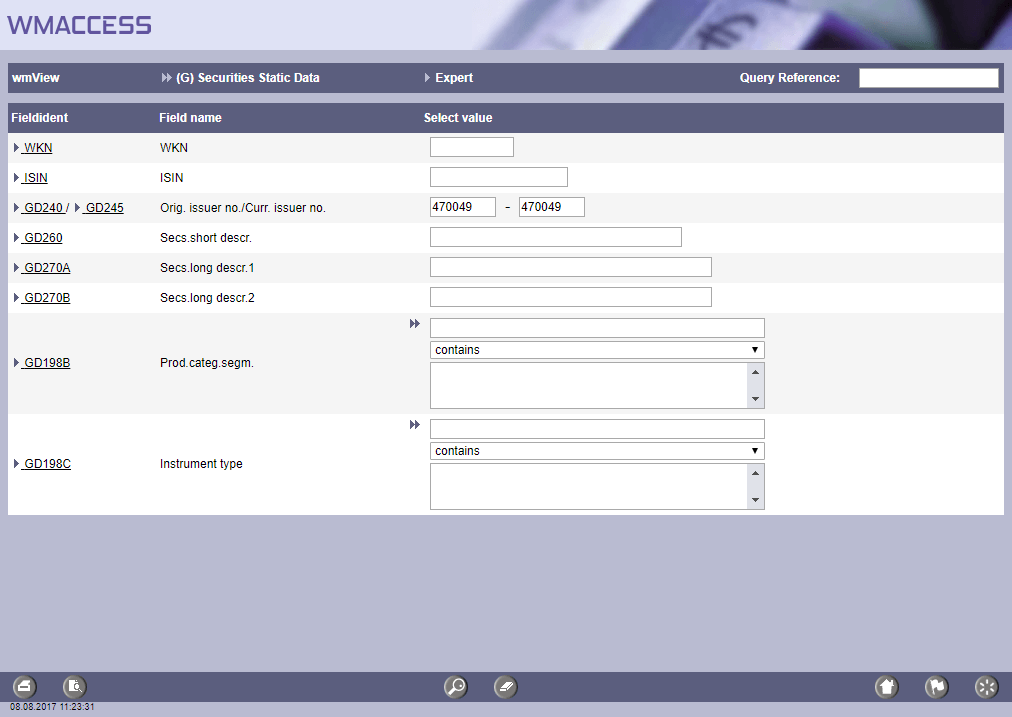
Search for securities with reference to the issuernumber 470049

Hit list for search with GD240 / GD245: 470049
Background information on fields GD240 and GD245:
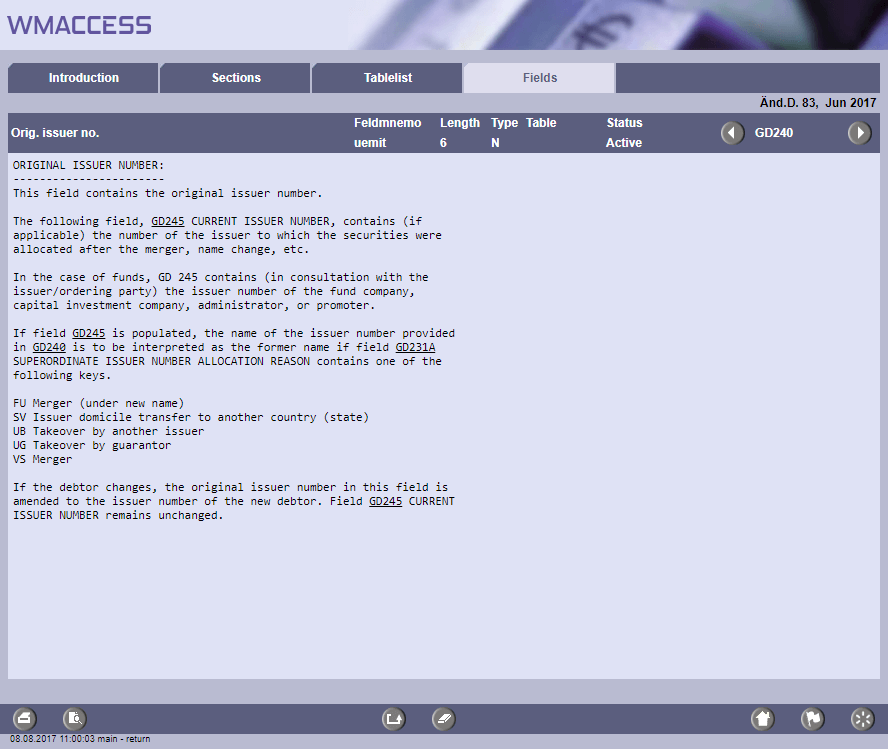
wmGuide: field description GD240.
As of August 8, 2017
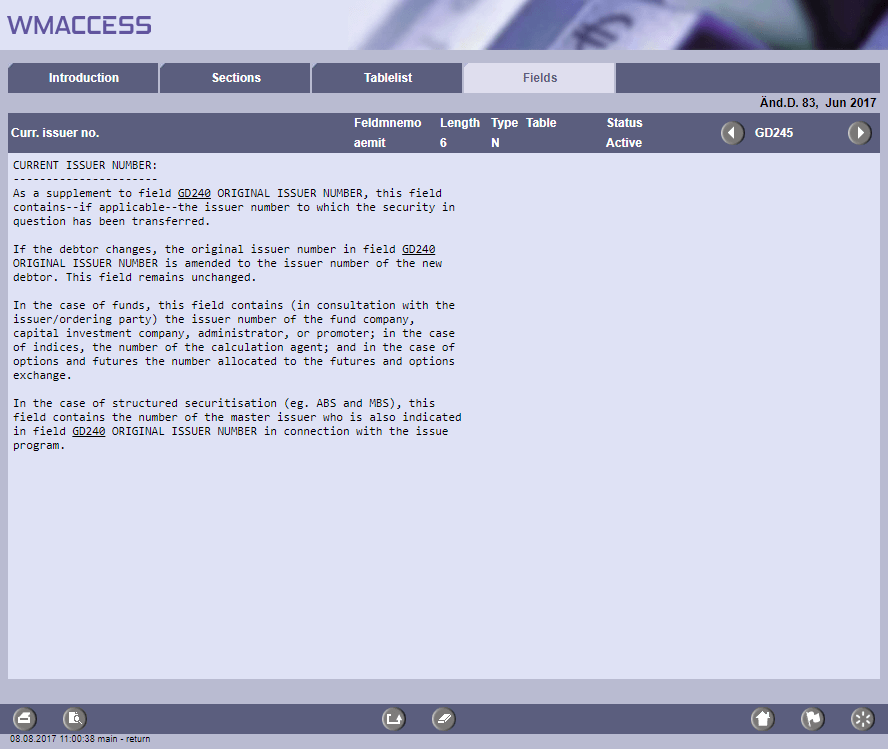
wmGuide: field description GD245.
As of August 8, 2017
Other alpha-numerical fields
For all other alpha-numerical fields wildcards can be used. Supported are "_" for one unknown character or "%" for several unknown characters.
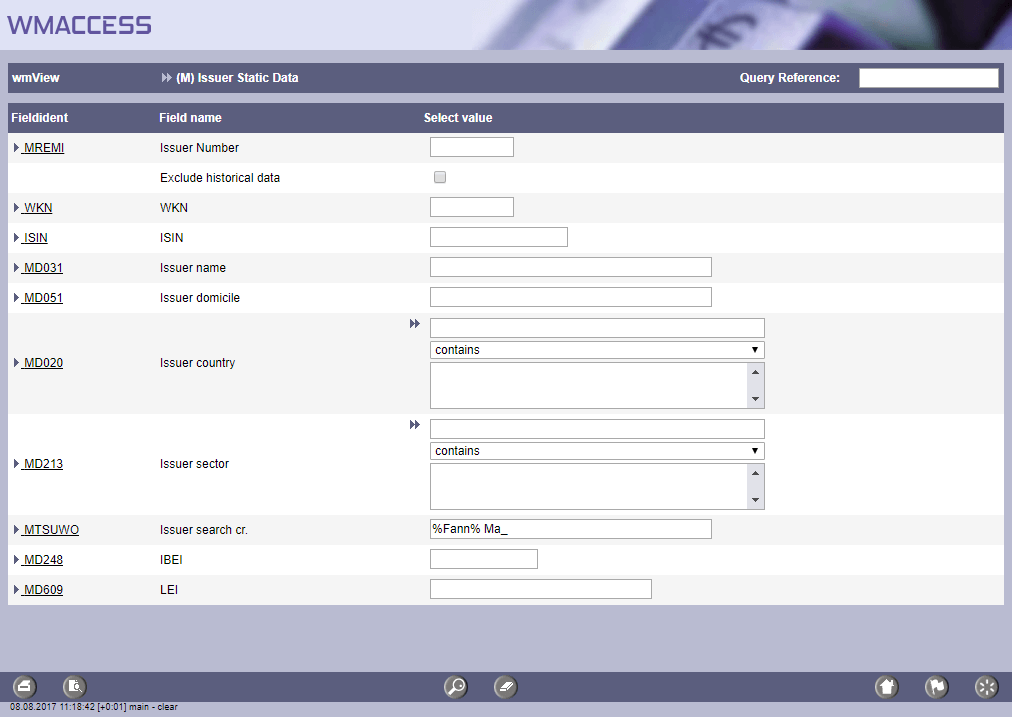
Research in issuer search words by using wildcards for issuer 'Fannie Mae'. Wildcards can also be used for unclear spelling.
Date fields
For date fields always two possible entry fields are offered as search criterion. The first field contains the "from" date, the second field the "to" date.
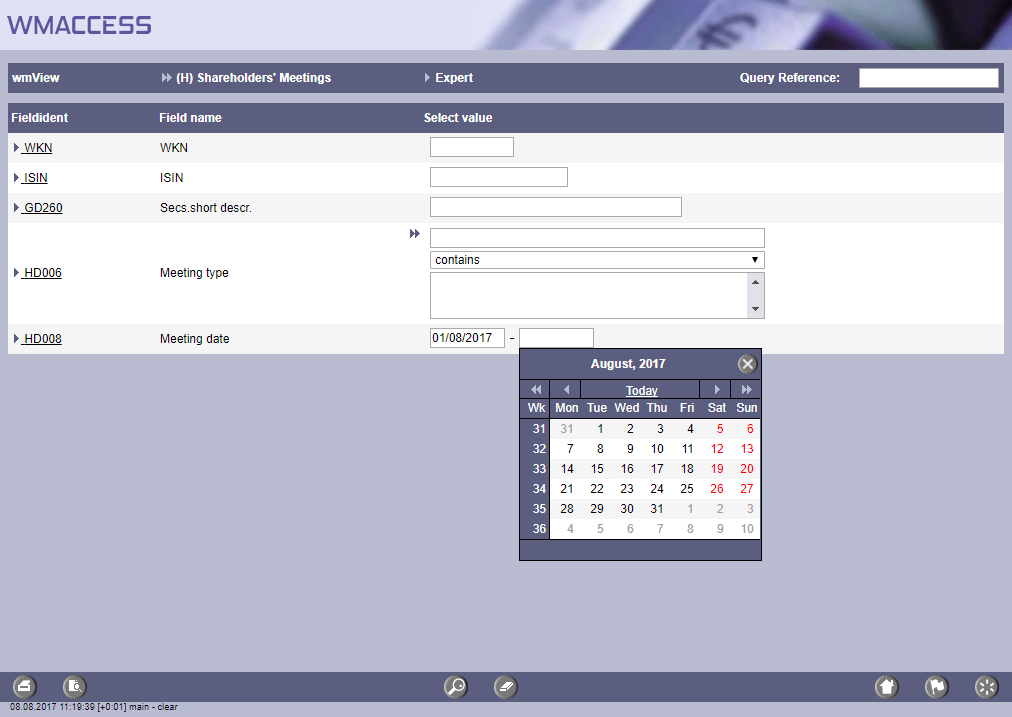
Search for general meetings between August 1, 2017 and a date to be entered. In this example by using the function key 'F9'.
If only one of these two input fields is specified, the search is adapted accordingly. Examples:
» HD008 from (left input field) = 01/08/2017:
Search for shareholder meetings from date August 01, 2017 (inclusive).
» HD008 to (right input field) = 31/08/2017:
Search for shareholder meetings until date August 31, 2017 (inclusive).
The specification of date fields can be made with or without forward slashes; the year, however, must have 4 digits. The function key F9 enables a comfortable date selection with paging function.
Period fields
Period fields are included, among others, in the work area Conversions. A period field offered as a search function is, for example, WM field UD016 Exchange period for the validity period of an exchange offer.
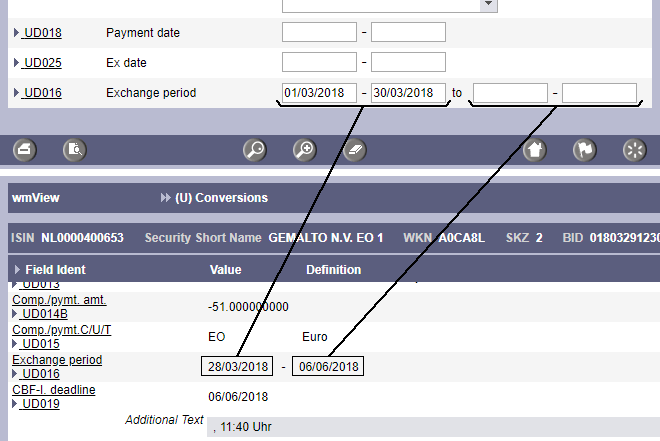
For period fields there are always four input fields offered.
The first two input fields define the search for the beginning of the exchange period. In our example, we are looking for a start of the exchange period between 01/03/2018 and 30/03/2018.
To search for the end of an exchange period use the last two input fields. In our example, these fields are empty and thus additionally exchange periods without a time limit (open-end) are displayed.
Numerical fields
For numerical fields always two input fields are offered as search criterion. This way one can search for data sets whose numerical value in this WM field lies within the specified range (both input fields are used).
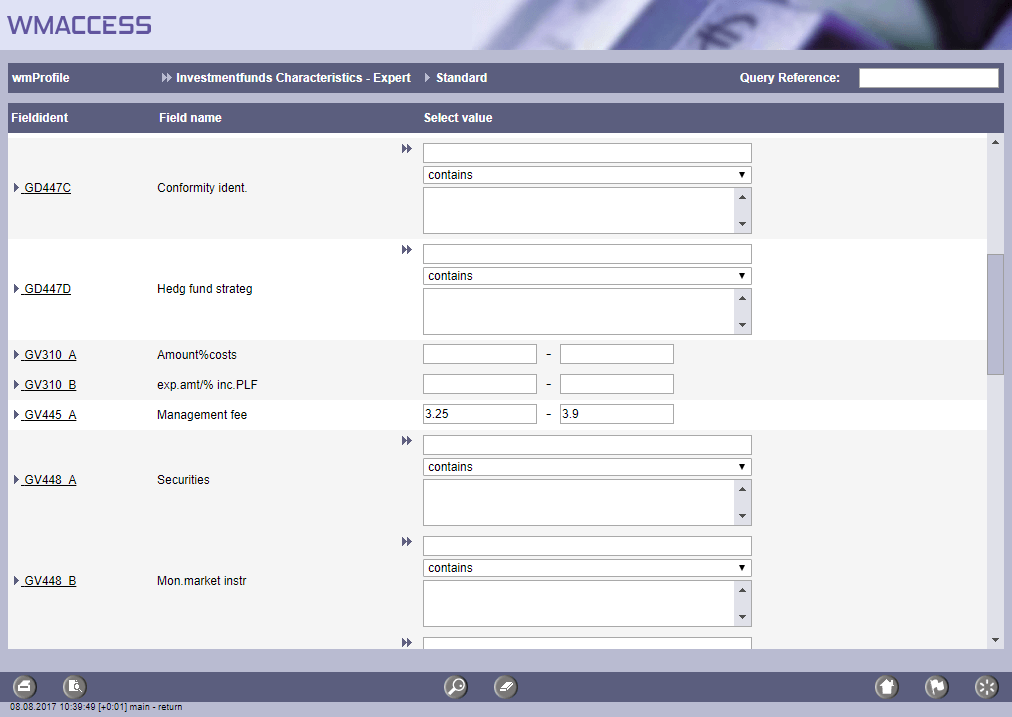
Search for investment funds with a management fee between 3.25 and 3.9 percent.
If only one of these two input fields is specified, the search is adapted accordingly. Examples:
» GV445A from (left input field) = 3.25:
Search for investment funds with a management fee >= 3.25
» GV445A to (right input field) = 3.9:
Search for investment funds with a management fee <= 3.9
In the english locale of WMACCESS a full stop (.) must be used as decimal mark.
WM fields with ranges of value (e. g. currencies, countries...)
For WM fields with ranges of value, two acquisition possibilities for the specification of the search criteria are offered. In order to get an overview of the possible attributes one can either click onto the double arrow or use the function key F9. In this case a selection window opens with the possible attributes that the WM field may contain. This selection window also provides a search / sorting function. The selection is made by double clicking on the desired value(s).
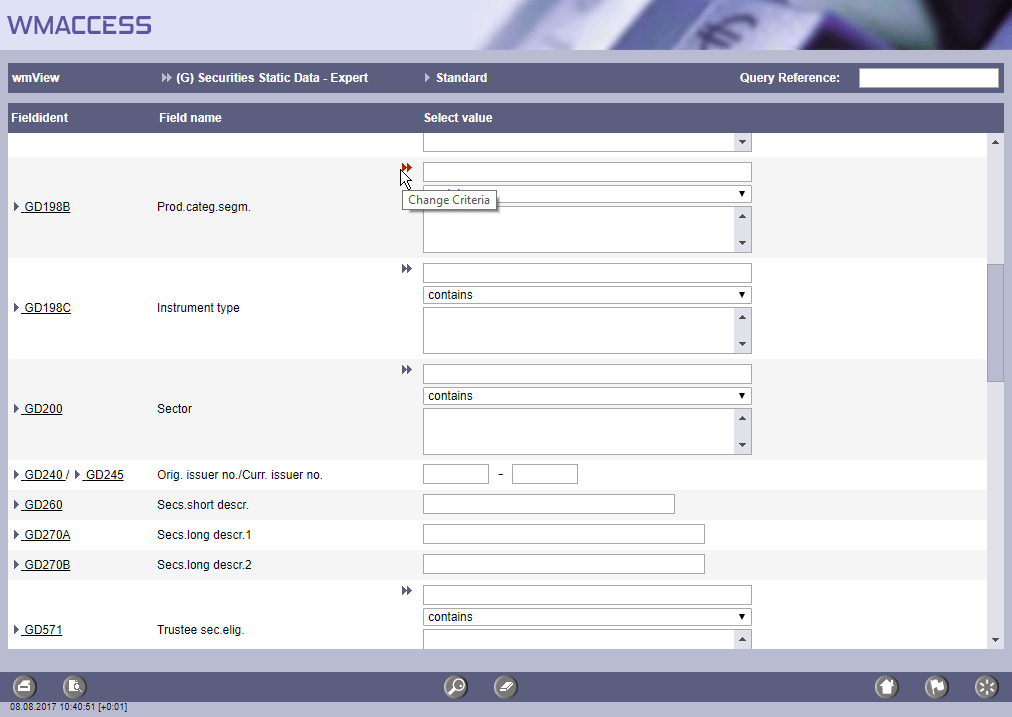
To select the search criteria please click on the double arrow 'change criteria'.
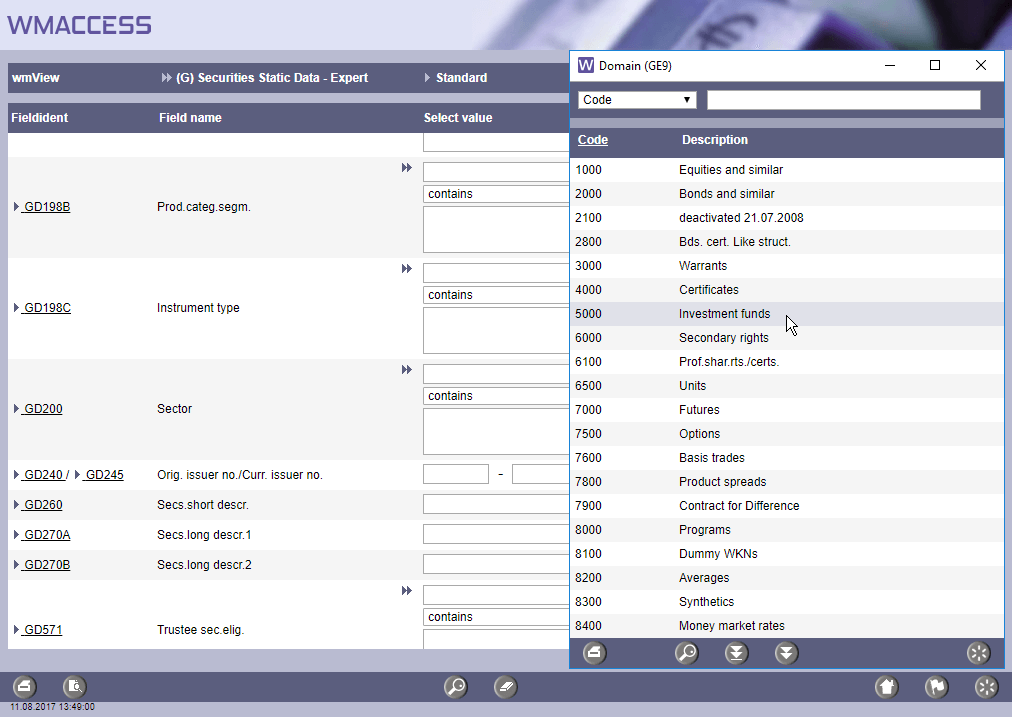
In the selection window the desired values can be transfered into the search mask by double-click.
If the key values are known, the relevant abbreviation can be entered directly. Multiple values must be separated by commas. If the input field is quit, the valid values are immediately displayed in the search criteria with the long term. Invalid values remain in the input field and can be corrected.
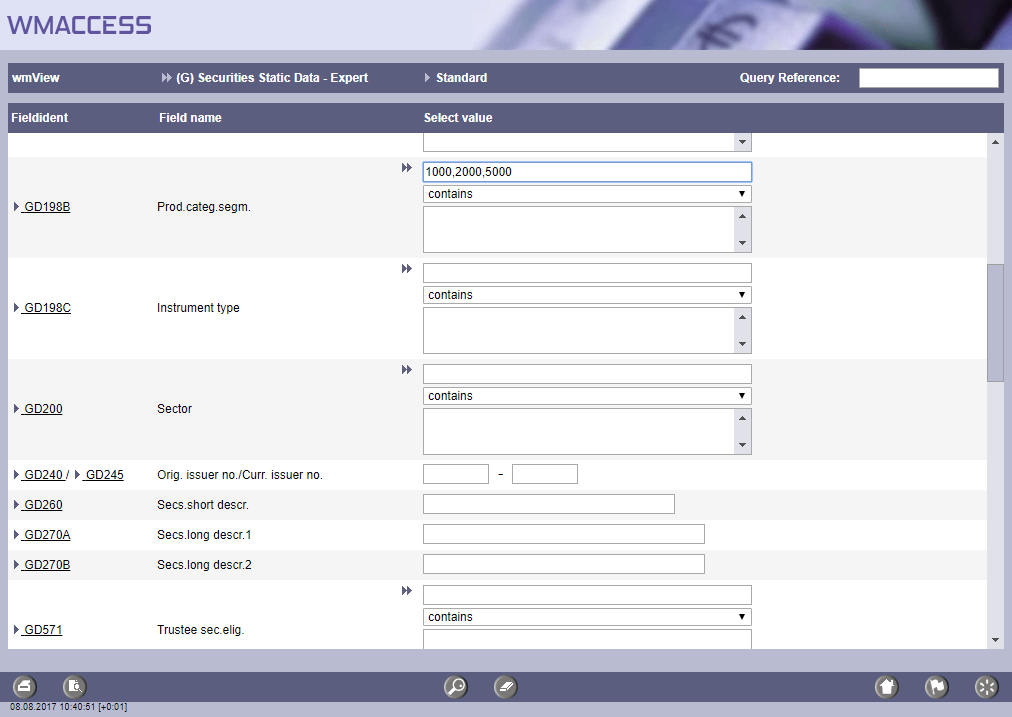
Key values like '1000', '2000' and '5000' can also be entered directly.
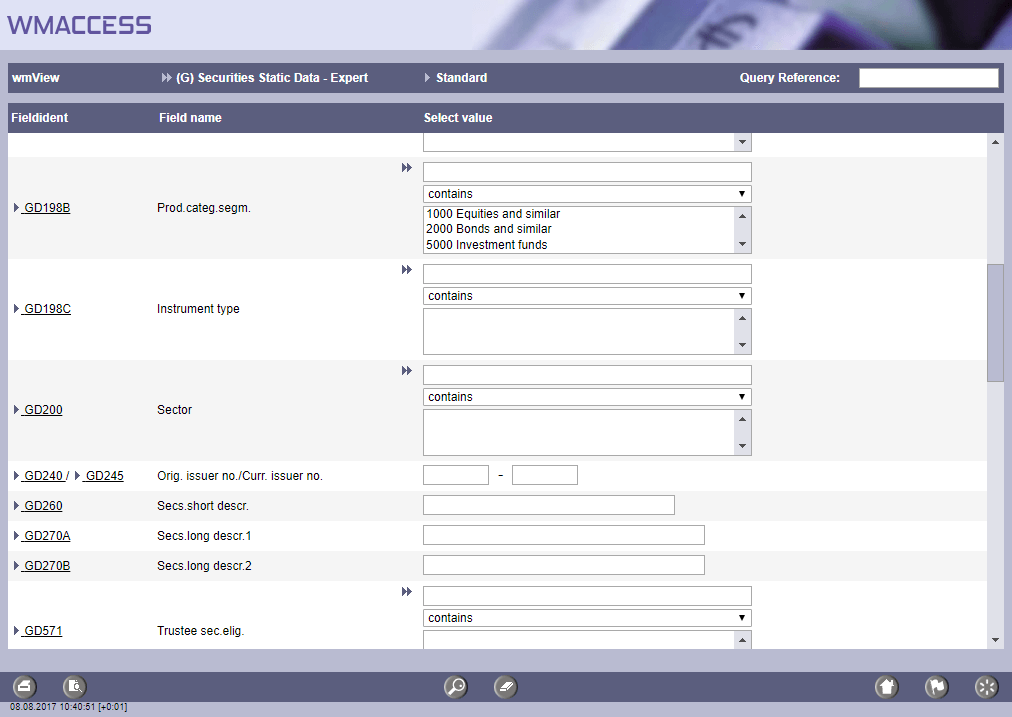
Valid values are displayed in the long description of the search criteria immediately after leaving the entry field.
A separate selection box (combo box) directly below the fast entry option allows to specify how the entered criteria is applied on a search. The user can choose between contains, does not contain or does not contain (Select even if field is empty).
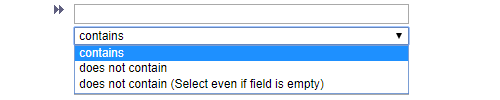
Selection box for interpretation of entered criteria
For further information and examples, see this news release.
Tip: Exclusion of cancelled event data
Status fields are available in the expert search function of the following work fields.
- (E) Dividend and Coupon Payments: ED001 (Payment status)
- (U) Conversions: UD001 (Exchange status)
- (K) Capital Adjustments: KD001 (Capital increase status)
- (H) Shareholders' Meetings: HD001 (Meeting status)
- (V) Maturities: VD001 (Draw/call status)
These fields can be used to exclude cancelled messages. For this use the values: S, T, U in connection with "does not contain" in the selection box.
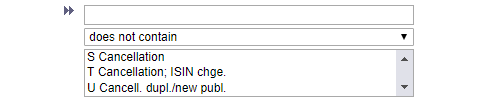
Criterias to exclude cancelled event data.
For the query profile (X) Stock Exchange Eligibilities the field XD001 (OHC BID status) is available in the search function.
Functional field descriptions
For every WM field that serves as a search criterion, a comfortable display of the field description and table attributes is available with the optional module wmGuide. Since wmGuide is integrated context-relatedly in the search function, a click on the field identification, e. g. GD198B or GD245 is sufficient.
Selection of another work field
The change of the search mask for another work field is made by clicking on the name of the current profile or the keyboard shortcut [ALT] & [A]
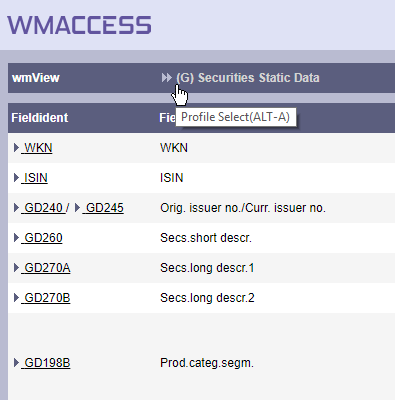
Activation change of work field / profile
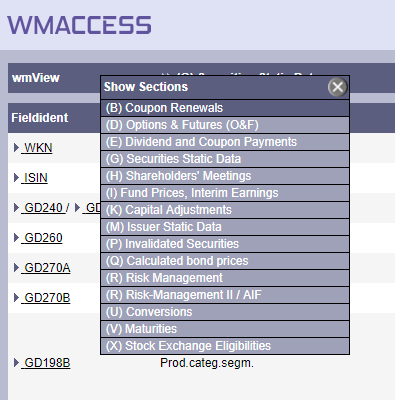
Work fields or profiles provided for selection
Overview of keyboard shortcuts
The following keyboard shortcuts are supported in the search function:
| Keyboard shortcut | Function / Meaning | Button |
 |
Start search |  |
 & & |
Portfolio-related queries (Start search) |  |
 |
Open overview of the possible values for fields with ranges of value. |  |
| Keyboard shortcut | Function / Meaning |
 & &  |
Open work area / query profile selection |
|
Open date selection with paging functions |
For further examples on the use of keyboard shortcuts as well as useful information for the efficient use of wmView and wmProfile, please refer to the WMACCESS cheat sheet.

Test our products with real data. This test access is nonbinding, risk-free and without charge.

Sign up for productive use.


WMACCESS and www.wmaccess.com
Copyright © 2024 CPB Software (Germany) GmbH.